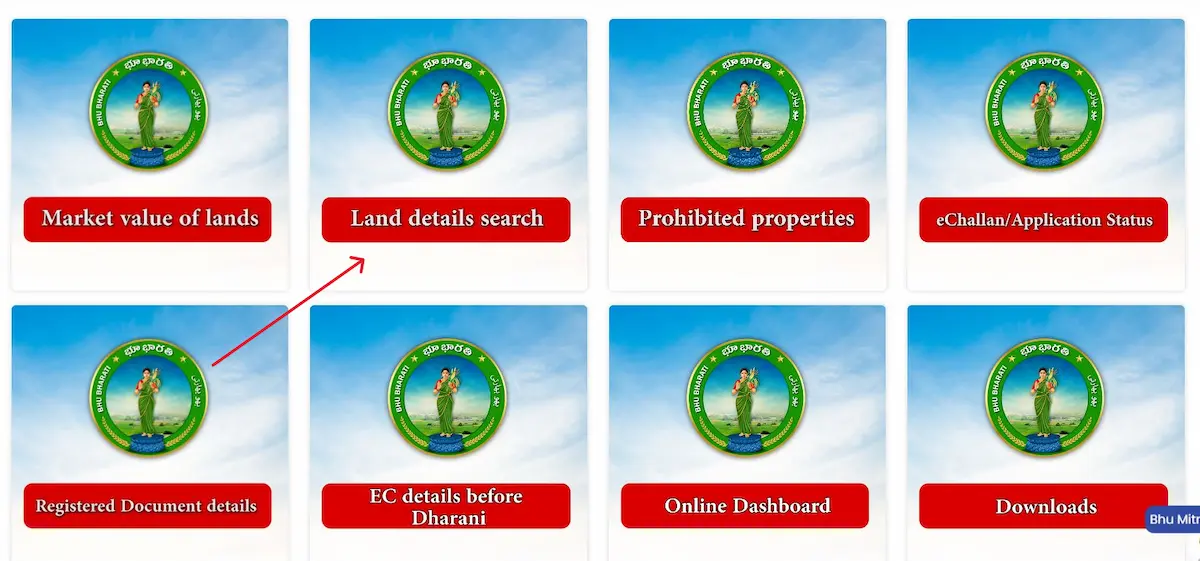
Most people who use the Bhu Bharathi portal stop at the Land Details Search — they get the text record, see the survey number, and assume that’s the full picture. It isn’t. There’s an entirely separate tool sitting at bhubharati.telangana.gov.in/gis/ — the official GIS cadastral map — that shows your land as a visible boundary polygon on an interactive map. Most landowners and buyers have never touched it. That’s a mistake, especially before any sale, registration, or boundary dispute.
What Is the Bhu Bharathi Map — And Why It’s Different
The Land Details Search gives you text. The GIS map gives you ground.
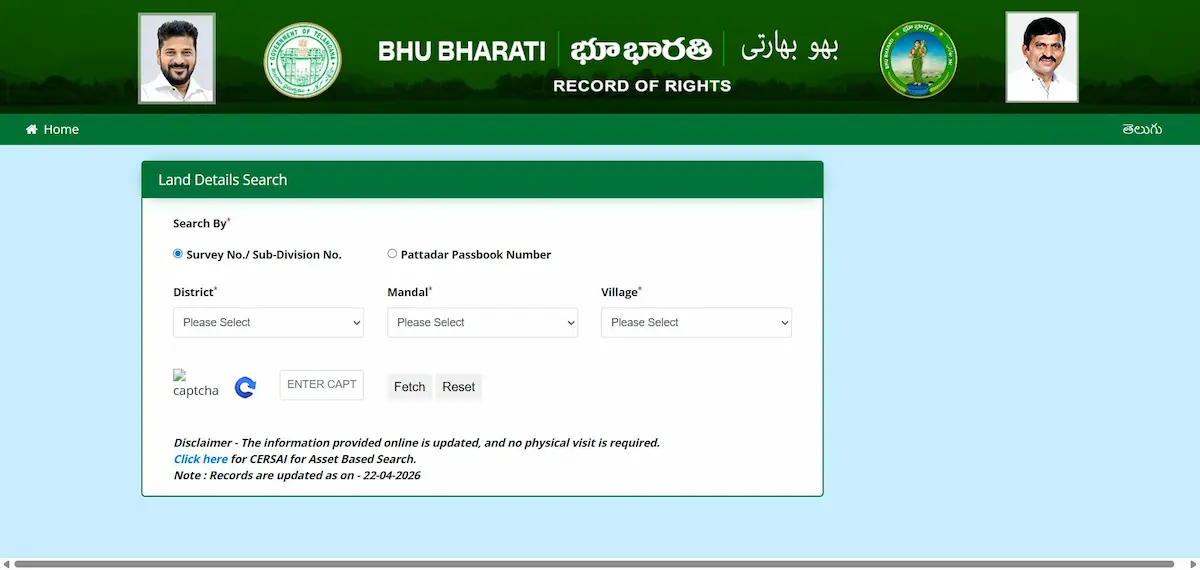
When you run a search on the main portal, you get the pattadar name, the extent in acres and guntas, the Bhudhaar number, and the land classification. That’s the textual record. What it cannot tell you is whether the physical boundary matches what’s written — or whether a neighboring parcel is creeping into yours.
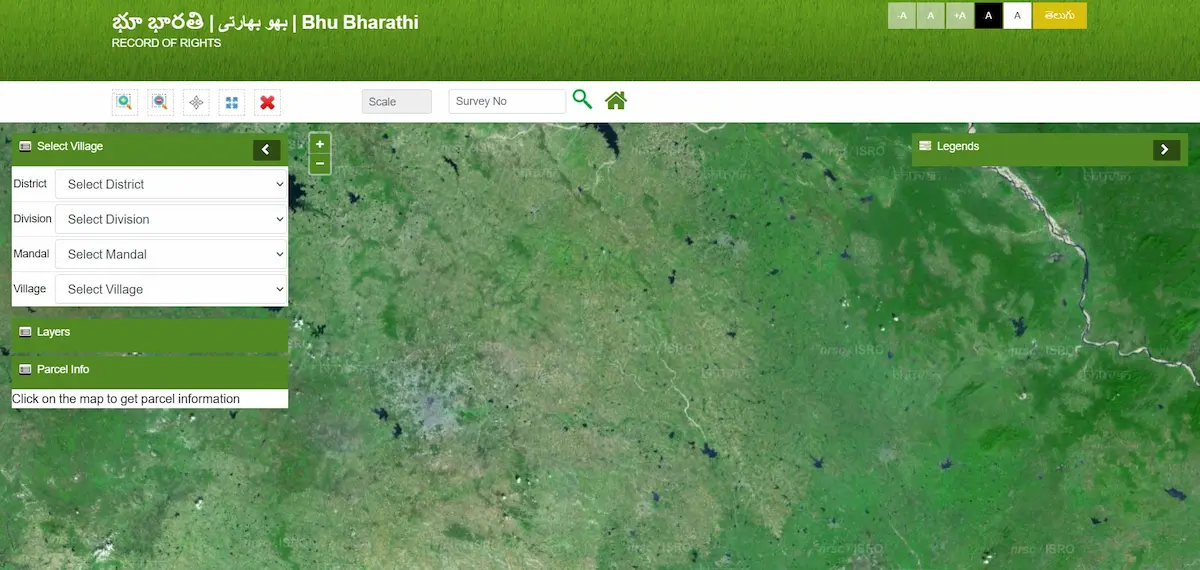
The GIS cadastral map fills that gap. It renders your land parcel as a geo-referenced polygon on a live map, with GPS-confirmed boundary lines pulled from Telangana’s statewide drone survey. Every corner of your land has coordinates locked into the government’s ILRMS database. The map is where those coordinates become visible.
This is what the Bhu Bharathi Act, 2025 refers to as the Land Parcel Map (LPM) — the official geo-identified unit that has now replaced the old survey number as the primary identifier for all new property registrations. No verified LPM, no registration slot booking. That’s how central this map has become.
How to Open and Use the Bhu Bharathi GIS Map — Step by Step
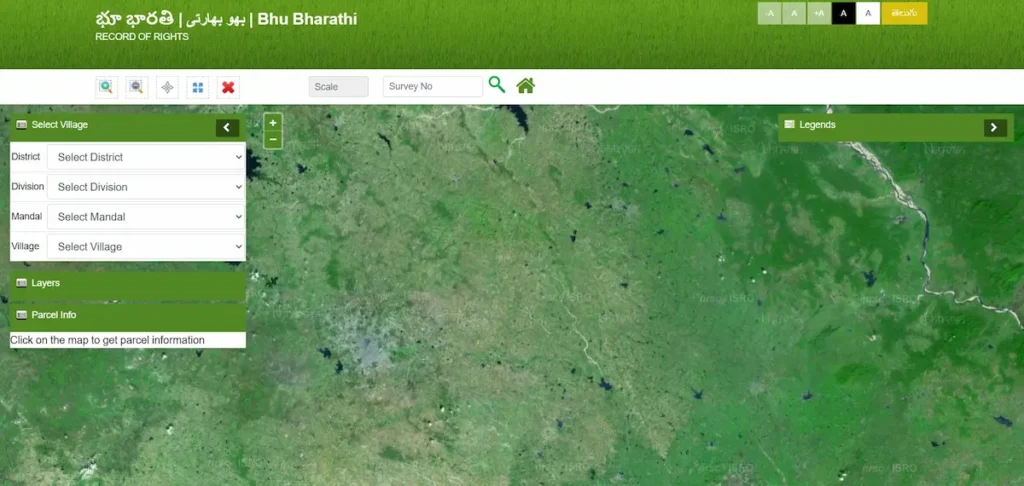
- Step 1 — Open the GIS map directly Go to
bhubharati.telangana.gov.in/gis/— this is a separate page from the main portal, not accessible from the homepage search. - Step 2 — Select your location in order Choose District → Division → Mandal → Village from the left panel. Each dropdown only loads after the one above it is selected. If Village stays blank, your mandal’s drone data isn’t uploaded yet — use the Land Details Search on the main portal for now.
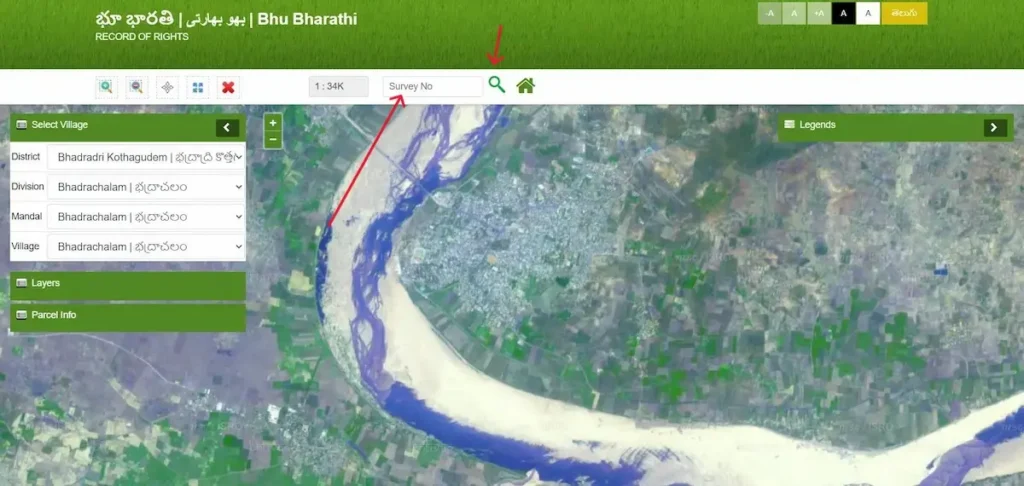
- Step 3 — Enter your exact survey number Type the full survey number including sub-division (e.g.,
142/A, not just142). Entering only the parent number loads the wrong record. Hit Search — the map zooms to your parcel and highlights its boundary.
- Step 4 — Read the Parcel Info panel The left panel shows five key fields:
- LPM Number — GPS-anchored parcel identifier
- Extent — drone-measured area in acres and guntas
- Bhudhaar Number — 28-prefix = geo-referenced and settled; 99-prefix = mapping still pending
- Pattadar Name — current registered owner
- Land Classification — Wet, Dry, Shikam, or Non-Agricultural
A few guntas difference from your passbook is normal. A large mismatch needs an MRO visit.
- Step 5 — Toggle the Layers panel Turn on neighboring parcels to see adjacent boundaries. Check whether any government land, water body, or reserved area borders your plot — critical before buying or starting construction.
What the Bhu Bharathi Map Actually Shows You — Field by Field
- The boundary polygon is not decorative. Under the RoR Act 2025, the GPS-mapped boundary on this cadastral layer is the legally binding perimeter for dispute resolution. The Tahsildar refers to this, not to a paper patta.
- Neighboring parcel polygons show you who owns what around your land. If your neighbor’s parcel overlaps yours on this map, that overlap is recorded in the government’s database — it’s not a display error.
- The LPM number on the map is different from the old survey number. Survey numbers were administrative labels; LPM numbers are spatial — they’re tied to GPS coordinates. The shift happened because survey numbers alone could be duplicated or referenced fraudulently. LPM numbers cannot be reused.
- Grey or unmapped areas indicate parcels where drone geo-referencing is still pending. You can confirm this if the Bhudhaar shown starts with 99 and the LPM field shows “Pending.”
Bhu Bharathi Map vs. the Old Tippon / FMB — What Actually Changed
- Many landowners in Telangana grew up dealing with Tippons — hand-drawn Field Measurement Book sketches filed at the Mandal office. For decades, the Tippon was the only visual reference for any boundary question.
- The GIS cadastral map has replaced it as the primary legal document.
- The Tippon was drawn manually, often decades ago, using chain-measurement techniques. It recorded approximate boundaries — good enough for agricultural administration, but not precise enough to resolve modern boundary disputes where a few feet can mean hundreds of thousands of rupees.
- The Bhu Bharathi GIS map is built from high-resolution drone imagery and Differential GPS surveys. Every boundary corner has latitude and longitude coordinates locked in the Revenue database. When two neighbors dispute a boundary, the Tahsildar now opens this map — not a Tippon.
- Tippons are still accessible from the Gram Panchayat or Mandal office for historical comparison. But in terms of legal weight under the 2025 Act, the GPS-based LPM overrides them.
When the Map Shows No Data or a Wrong Boundary
Your Village Doesn’t Appear in the Dropdown
This isn’t an error in your record. It means the drone survey data for that mandal hasn’t been uploaded to the GIS portal yet. Your textual record still exists in the ILRMS database. Use the main portal for record verification and check back on the GIS layer once your area’s drone data is confirmed uploaded.
The Boundary Doesn’t Match Your Deed
Small variances are expected. The 2025 Act’s ground-reality rule means the physical measurement from the drone survey takes precedence over what was written in older deeds. A parcel recorded as 2.00 acres in a 1995 deed may now display as 1.97 on the GIS map — that’s not an error, that’s the updated physical measurement.
A large discrepancy — say 2.00 acres showing as 1.60 — is a different matter. That suggests either a data migration error from the Dharani-to-Bhu Bharathi transition or a genuine encroachment. File under the RoR Corrections module at your MRO. If you haven’t already checked your record’s text layer, start with the Bhu Bharathi Land Details Search first to confirm the textual record before approaching the MRO.
A Neighboring Parcel Overlaps Your Boundary
This is the most serious scenario. An overlap in the GIS layer means the system has recorded two ownership claims with intersecting boundaries. Do not transact on such land — neither buy nor sell until this is resolved.
Under the Bhu Bharathi Act, 2025, MROs are authorized to conduct Revenue Sadassus — physical field hearings at the village level — specifically to resolve these kinds of boundary conflicts. File at your Tahsildar’s office with your registered sale deed, pattadar passbook, and Aadhaar. The GPS data from the map itself becomes part of the evidence.
Using the Bhu Bharathi Map for Due Diligence Before Buying
The GIS map check belongs in your pre-purchase routine — after the Land Details Search but before the Encumbrance Certificate.
Here’s the exact sequence:
- Run the Land Details Search to confirm current ownership, Bhudhaar number, and 22-A prohibition status
- Open the GIS map with the survey number and verify the boundary matches the land the seller is showing you on-site
- Check the LPM status — a 28-prefix Bhudhaar with a settled LPM is a clear signal; a 99-prefix means the boundaries are not yet GPS-locked
- Toggle on neighboring parcels to verify no government land, forest boundary, water body, or Waqf/Endowment parcel is overlapping the plot
- Proceed to the Encumbrance Certificate check
Buyers in Hyderabad and the surrounding districts especially should run the map check for any agricultural-to-residential conversion plots. The LPM extent will immediately tell you whether the area the seller claims matches the area the government has recorded.
The Mobile Map Feature — “Know Your Position”
The Bhu Bharathi app (available on Google Play) has a GPS overlay tool that deserves a mention here because most users don’t know it exists. When you stand on your land and enable location in the app, it overlays your real-time GPS coordinates onto the official cadastral map. You can literally see whether you’re standing inside or outside the legal boundary of your parcel.
This is useful for farmers checking if a fence line is correctly placed, or for buyers doing an on-site visit before purchase. One limitation: this feature requires a permanent Bhudhaar (28-prefix). Parcels still under temporary Bhudhaar (99-prefix) with “LPM Pending” status won’t render an accurate GPS overlay — the spatial layer isn’t locked yet. For those, understand what the 99-prefix means and when it converts by reading the Temporary to Permanent Bhudhaar guide first.
Frequently Asked Questions
Can I view my land on a map through Bhu Bharathi?
Yes. Go to bhubharati.telangana.gov.in/gis/, select your District, Division, Mandal, and Village in sequence, then enter your survey number. The map will highlight your parcel and display the Parcel Info panel.
What is an LPM number in Bhu Bharathi?
LPM stands for Land Parcel Map number — a unique ID assigned to each geo-referenced parcel after drone survey validation. It has replaced the old survey number as the primary identifier for property registration under the RoR Act 2025.
Is the Bhu Bharathi GIS map legally binding?
Yes. The GPS-mapped boundaries in the LPM are the primary reference for boundary disputes under the 2025 Act. The Tahsildar refers to this map over older paper Tippons.
What if the map shows a different area than my old deed?
Small differences (a few guntas) are normal due to the ground-reality rule — drone-measured extents replace old paper measurements. Large differences need an MRO visit and a correction application.