You type in your survey number, solve the captcha, click Fetch — and the screen either shows a record that doesn’t quite match your pattadar passbook, or nothing at all. Neither outcome is a bug. Both have a reason. And in most cases, a fix that takes an afternoon, not a trip to the Collector’s office.
What the Land Details Search Actually Returns (and What It Doesn’t)
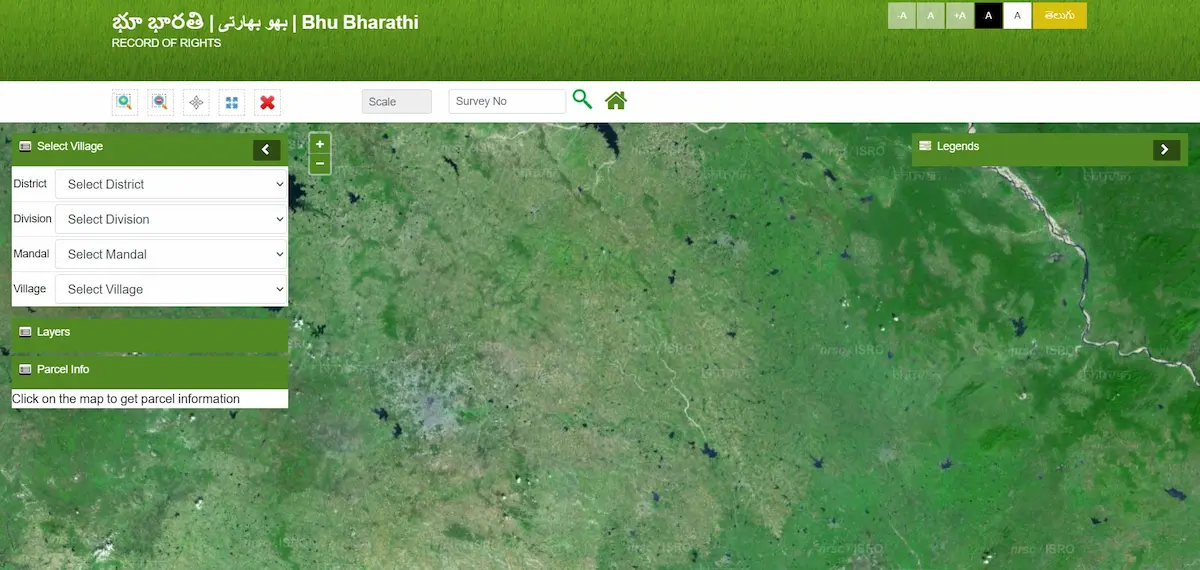
When you run a search on bhubharati.telangana.gov.in, the portal pulls a snapshot of your parcel from the ILRMS database, cross-checked against the IGRS registration records and the state’s drone survey layer. That snapshot isn’t a document — it’s a live read of what the government currently holds on that parcel.
It includes the pattadar’s name, the extent in acres and guntas, land classification, the Bhudhaar number, the LPM (Land Parcel Map) status, and any flag for Section 22-A prohibition. It does not include mutation applications that are still mid-process, parcels where geo-referencing hasn’t been validated, or records moved to Part-B during the forensic audit. Those exist in the system — they’re simply withheld from public search to prevent transactions on contested land.
| You will see | You won’t see |
|---|---|
| Current pattadar name | Mid-process mutation applications |
| Extent (acres & guntas) | Part-B hidden records |
| Land classification | Un-geo-referenced private notes |
| Bhudhaar number & prefix | Pre-1983 EC history |
| Enjoyment column occupant | Pending NALA applications |
| 22-A prohibition flag | Court stay details |
The Four Ways to Search — and Which One You Should Actually Use
The portal gives you four search identifiers. Most guides treat them as interchangeable. They aren’t. Each fits a specific situation, and picking the wrong one is the single biggest reason people see “no records found” when their record is actually fine.
Search by 11-Digit Bhudhaar
Use this when you already have the Bhudhaar card or the e-Bhudhaar PDF in hand. It’s the cleanest search the portal offers — one ID, one parcel, no ambiguity. The first two digits matter: a 99-prefix tells you the textual record exists but the land hasn’t been geo-referenced yet; a 28-prefix means the land is GPS-locked and fully settled. If you’re unsure what to do about a 99-prefix result, here’s how the shift from temporary to permanent Bhudhaar actually works.
Search by Pattadar Passbook (PPB) Number
Best for existing owners holding multiple parcels under one ownership. The PPB search returns the consolidated Khata view — every parcel tied to that passbook in one pull. One caveat: if the passbook was issued before 2023 and never reconciled after the drone survey, the extents shown may lag the ground reality by a few guntas. Cross-check with a Bhudhaar or survey number search for anything important.
Search by Survey Number and Sub-Division
This is the method to use when all you have is an old sale deed, or when you’re verifying a parcel before buying it. Watch the sub-division field closely. Entering 142 when the actual parcel is 142/A returns the parent record — which looks complete but isn’t the plot you’re checking. The dropdown must show the exact sub-division string that appears on the deed.
If the survey number comes back marked “Cancelled,” the parcel was sub-divided or merged during the GIS drone survey and now lives under a new LPM number. Pull it up via PPB instead.
Search by Khata Number
Institutional users and heirs resolving joint succession rely on this one. Most individual landowners don’t need it.
| What you have in hand | Use this search | What you’ll confirm |
|---|---|---|
| Bhudhaar card / e-Bhudhaar | Bhudhaar Number | Exact parcel, geo-status |
| Pattadar passbook | PPB Number | All parcels under your Khata |
| Old sale deed only | Survey + Sub-Division | Specific plot details |
| Joint family record | Khata Number | Shared ownership view |
The Actual Walkthrough
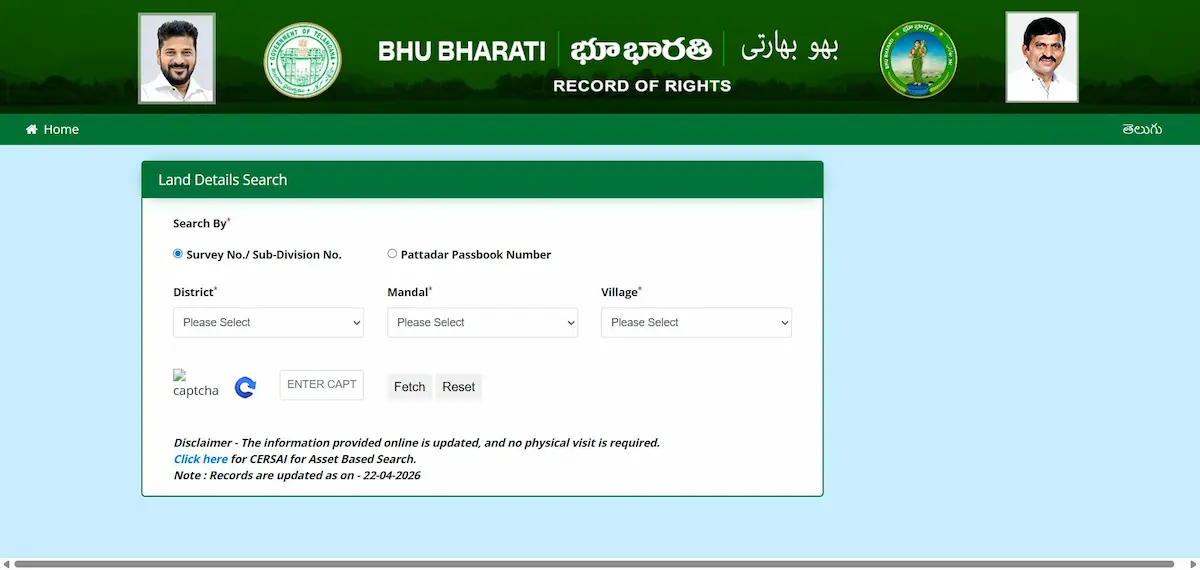
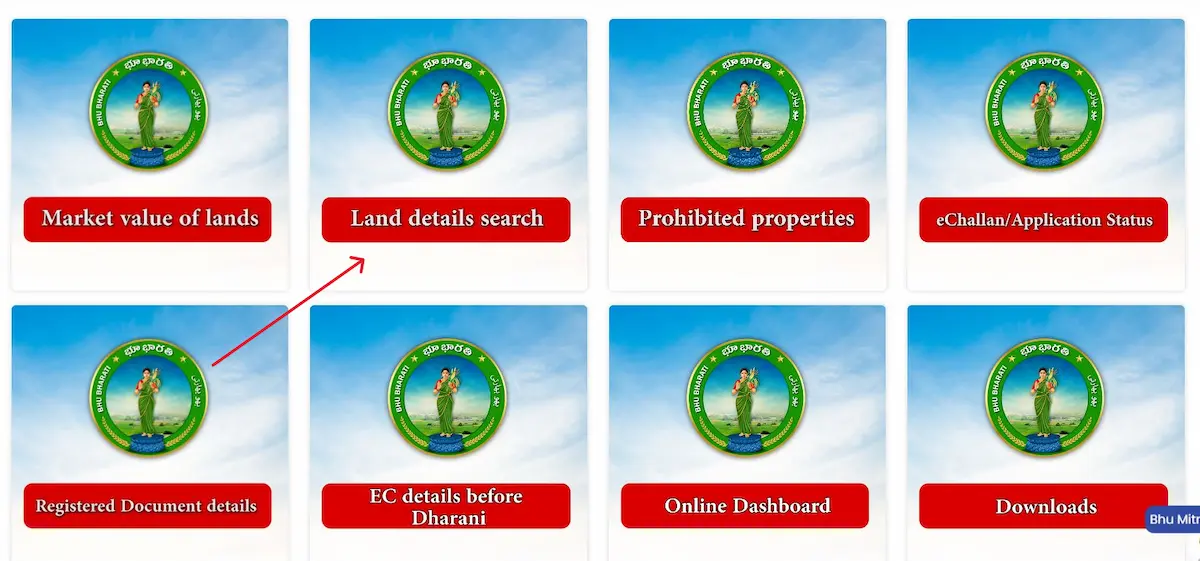
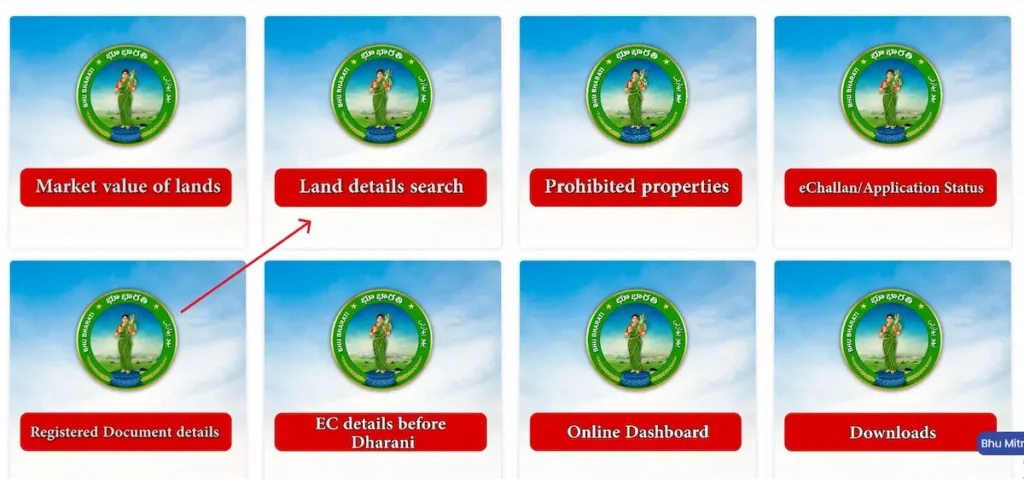
Open bhubharati.telangana.gov.in and click Land Details Search under Information Services. No login needed. Select your District, then Mandal, then Village from the three dropdowns — in that order, because the next list only populates after the previous one loads. If the Village dropdown stays blank, the page is cached; hard-refresh and try again.
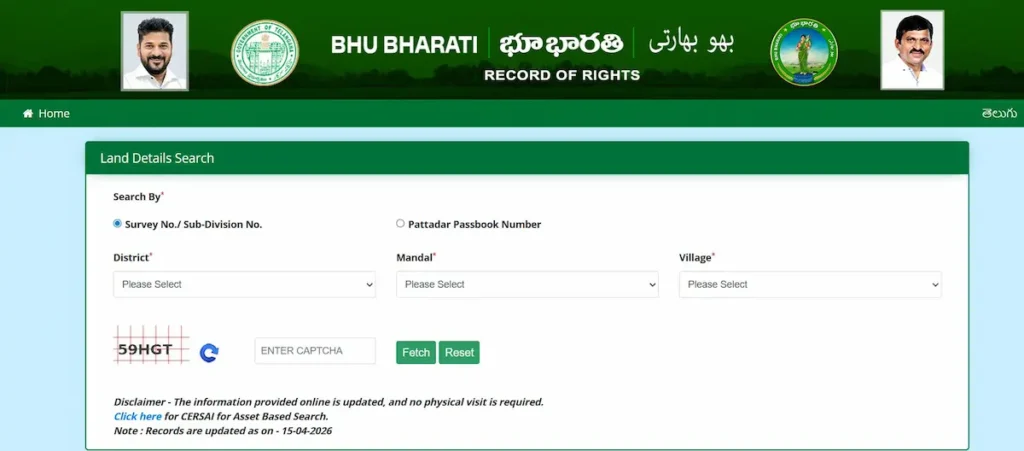
Pick one of the four identifiers above, enter it exactly as it appears on your document, solve the captcha, and hit Fetch. The result loads on the same screen. If you want a downloadable copy, you’ll need to log in and pay the document fee (₹20–₹100 depending on the format).
How to Read the Result Without Getting Fooled
A clean-looking record on screen isn’t the same as a legally clean record. Here’s what each field is actually telling you.
The Pattadar Name Field
A partial name or transliteration variant usually means the record predates Aadhaar linkage and the name was manually typed decades ago. A fully blank field almost always means a mutation is mid-process. A name that doesn’t match your ID at all is a red flag — check the RoR Corrections module immediately.
The Extent Field
After the drone survey, many old records were adjusted by small margins — a parcel recorded as 2.00 acres might now display as 1.95. This is the ground reality rule at work, and it’s normal. A mismatch of more than a few guntas, or a missing sub-division entirely, is not normal and deserves a Tahsildar visit.
Land Classification and Nature
Wet, Dry, Shikam — this field controls what you can do with the land. It affects NALA conversion eligibility, crop loan limits, and registration slot booking. If your patta land is showing as “Government,” that’s an indexing error from the migration, not a reclassification. The appeal path runs through the MRO first, then RDO.
The Enjoyment Column
The 2025 Act restored this column after it vanished under Dharani. It shows the actual cultivator or occupant — which matters legally, because physical possession has standing in revenue disputes. When the Enjoyment name differs from the Pattadar name (common in leased or tenant-cultivated land), both entries are valid; neither overrides the other by default.
The LPM / Bhudhaar Status
If you see a 28-prefix Bhudhaar and an LPM number, your parcel is fully settled. A 99-prefix with “LPM Pending” means the drone survey either hasn’t reached your mandal yet or your boundaries are still being validated. For a buyer, a 99-prefix is not a deal-breaker — but it shifts risk, and the price should reflect that.
When the Search Fails — A Diagnostic Tree
“No records found” is a symptom, not a diagnosis. It has four distinct causes, each with its own fix.
If the Village dropdown itself is empty, the issue is usually a post-reorganisation mandal-village mapping that hasn’t synced on the browser you’re using. Clear cache, try a different browser, or use the mobile app — it often has a fresher dropdown list.
If the search returns a clean “No Records Found,” work through three possibilities in order: migration lag (common for recently mutated parcels — wait 48–72 hours), Part-B status (requires MRO resolution; the record is deliberately hidden), or an unindexed LPM after sub-division (search by PPB instead of survey number).
If the search returns a record that clearly isn’t yours, you’ve almost certainly hit the sub-division trap. Re-enter the survey number with the exact sub-division string from your deed. Stale cache also causes this — refresh and retry before assuming a deeper issue.
If the portal itself won’t load, you’re hitting peak hours. Traffic spikes hardest during the first week of each month and any time a correction-window deadline approaches. Early morning (before 9 AM) and late evening (after 9 PM) are the reliable windows.
Using the Search Result for Due Diligence Before Buying
The Land Details Search alone is not due diligence. It’s one of four checks, and the sequence matters.
| Order | Check | Confirms |
|---|---|---|
| 1 | Land Details Search | Current ownership & record status |
| 2 | Section 22-A Prohibited List | Land is legally salable |
| 3 | Encumbrance Certificate | No active mortgages or liens |
| 4 | Market Value lookup | Pricing is realistic for the zone |
Run them in this order. Skipping to the EC before confirming the parcel isn’t on the 22-A list wastes the certificate fee if the land turns out to be government-assigned. Most buyers get this backwards because the EC feels like the heaviest document, but it’s the second-to-last step, not the first.
What Changed After April 2025 That Most Guides Haven’t Updated
The 2025 Act didn’t just rename the portal. It restored the 11-column Pahani, which means the search result now carries fields that genuinely vanished during the Dharani years — the Enjoyment column being the most significant for anyone dealing with tenant cultivation or possession disputes.
Authority for record corrections shifted from the Collector to the Tahsildar. If the search reveals an error in your own record, you no longer need district-level approval to fix it — the MRO can process it directly, and Revenue Sadassus bring that process to the village itself.
The one-year RoR correction window opened on April 14, 2025. The original cut-off was April 13, 2026. Before filing any correction, confirm the current deadline status on the official portal — windows like this have been extended before, and the “Finality of Records” clause only activates once the door actually closes.
FAQs
Is Bhu Bharathi land details search free?
Yes. Viewing land details, checking prohibited status, and looking up market value are all free information services. Downloading certified copies costs ₹20–₹100 per document.
Can I search without logging in?
Yes, for information services. You only need to log in for transactional work — mutations, NALA, corrections, appeals.
What does it mean if my Bhudhaar starts with 99?
Your textual records are in the system, but the land hasn’t been geo-referenced yet. The full breakdown of what this affects and how it changes is here.
Is the Bhu Bharathi app result legally equivalent to the portal?
For viewing, yes. For certified downloads and e-Challan generation, the portal is the primary source.